
Pregnancy Week on the Home Screen
You enter your due date once, during setup, and the Bumpi Kicks home screen then shows your current pregnancy week above the counter, for example week 39. If the date puts you outside weeks 0 to 45, it shows an Add due date prompt instead.

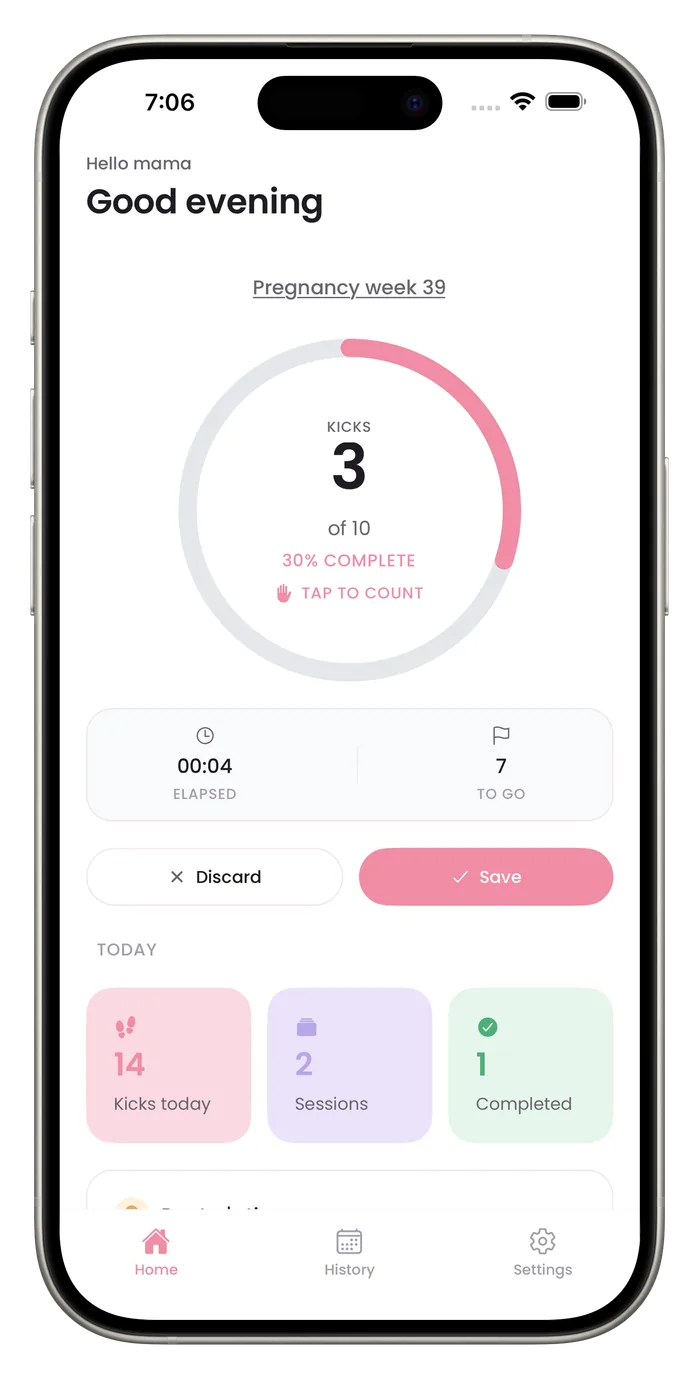

What the week display does
Calculated from your due date
The week is worked out from the due date you enter, so it stays current as days pass.
On the home screen
It sits above the counter each time you open the app.
Not stored in analytics
The app tells its analytics service only whether you entered a due date, not the date.
Questions about this feature
Can I skip the due date?
No. Setup asks for it before you reach the counter. The home screen shows an Add due date prompt in place of the week only if the date falls outside weeks 0 to 45.
Is my due date sent anywhere?
It is stored on your phone. The app reports to analytics only whether a due date was entered, not the date itself.
How do I change my due date?
Changing it means using Clear all data in Settings. That deletes every saved session and recording, resets your goal, reminder and other settings, and restarts setup so you can enter a new date. Export a PDF first if you have Pro and want to keep your history.
Start a daily record today.
Bumpi Kicks keeps a simple log of your kick counts that you can look back on and show your care team.
Free to download. Counting needs a Pro subscription, and the App Store paywall shows the price and any free trial before you pay.